Section 2: Check with a flow chart
| Displays a list of the quantity of goods from arrival to inventory and shipment. |
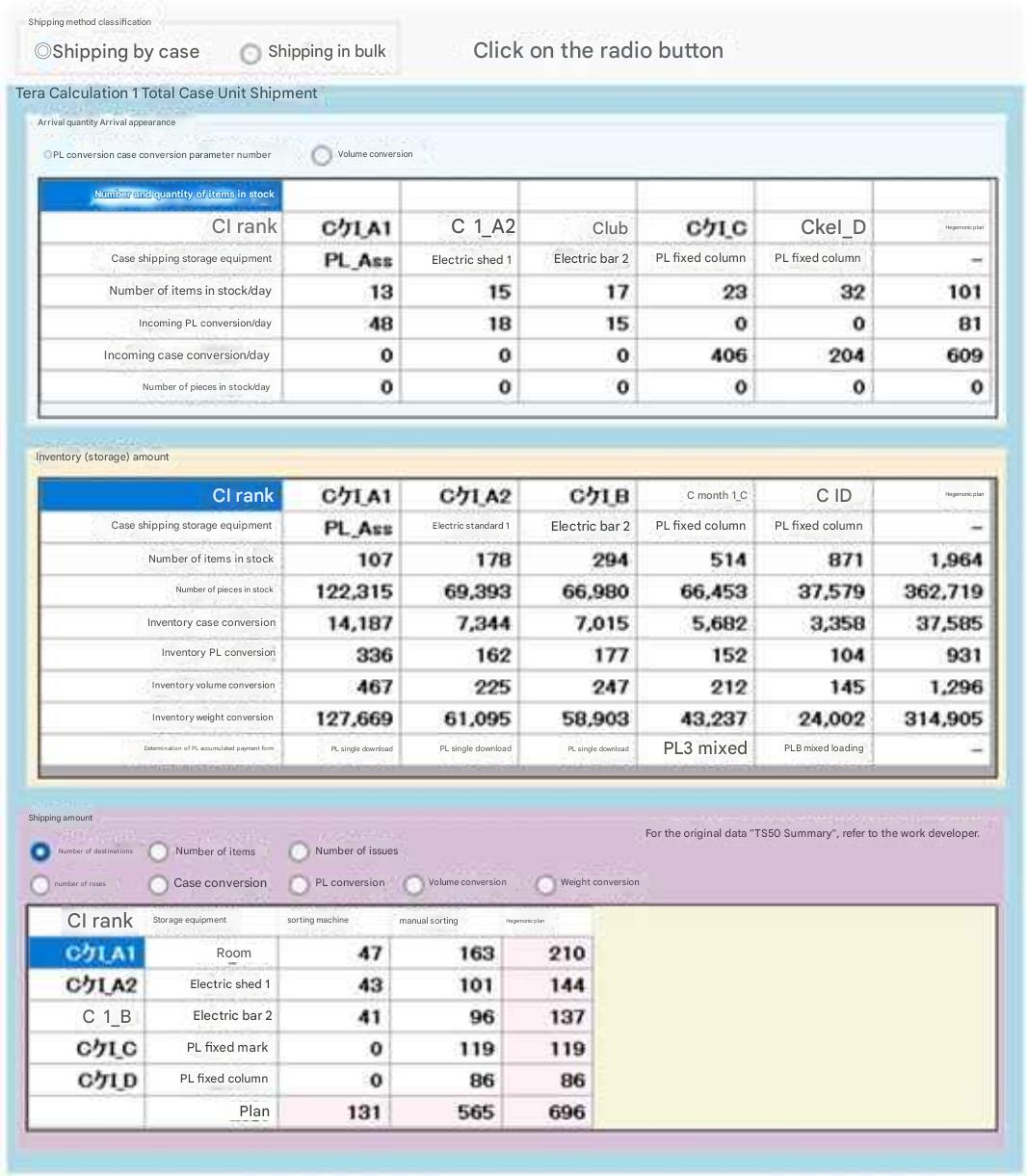 |
Select case-by-case or bulk shipments Which logistics equipment will receive your goods? Displays the number of items and storage unit (PL or case). Volume conversion is also now available. Displays the number of items and bulk quantities stored in inventory equipment, as well as bulk quantity conversions, such as case and PL conversions. Displays various conversion values. Displays the PL package type being stored, from single to 8-pack. Whether inventory items will be shipped via shipping area equipment. Displays the number of destinations, number of items, number of shipments, and bulk quantities. Displays the bulk quantity conversion. |
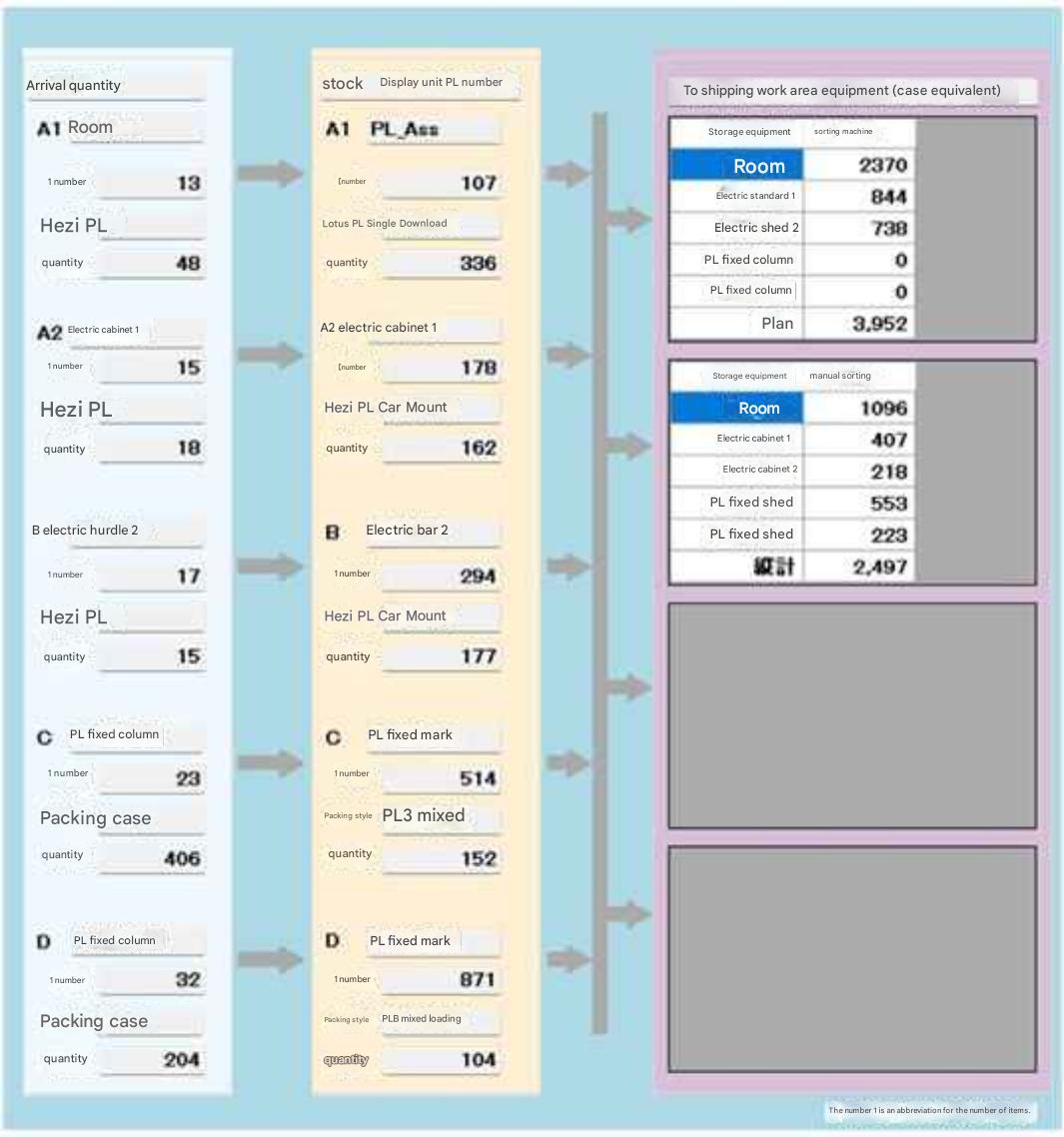 |
When incoming goods are loaded as a single PL (one item per pallet), they are stored in vacant PL units on the equipment's shelves. When incoming goods are in cases, it is likely that they are stored in mixed quantities (multiple items per pallet). The quantity of goods sent to the equipment in the shipping area The units displayed for "Shipping Area Logistics Equipment" change in sync with the selection in the "Shipping Quantity" column in the diagram above. |